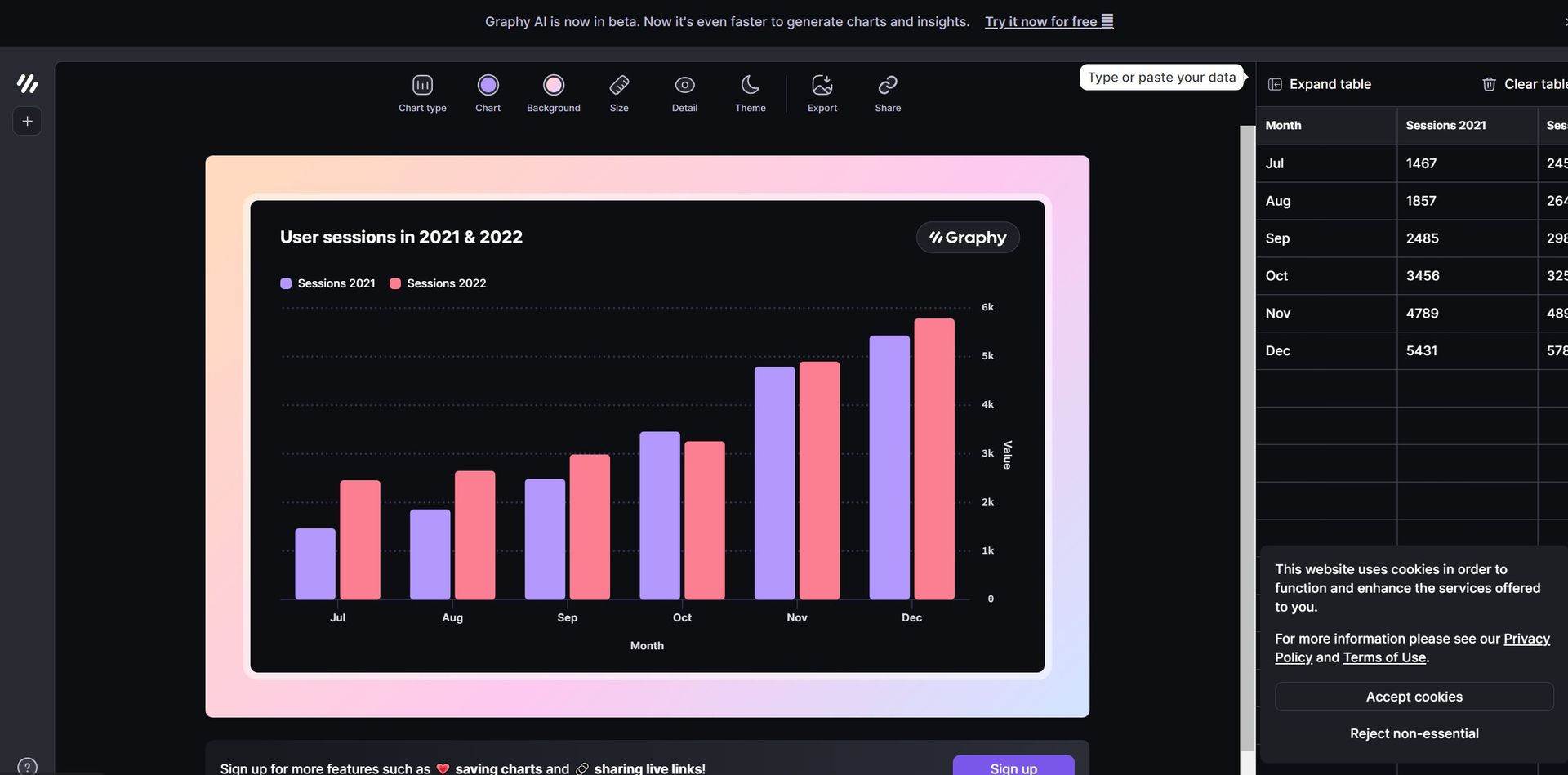
What is Graphy?
Graphy, or Graphy.app, transforms the way data is visualized, providing powerful tools for creating professional-grade graphs that inform decisions and motivate actions. Tailored for data-centric teams, it streamlines the process of presenting and conveying data, empowering everyone to become proficient data storytellers. With Graphy, users can design stunning, interactive graphs that are not only visually appealing but also deliver actionable insights.
Key Features:
- Lightning Fast Performance: Creates graphs 80% faster than traditional data visualization tools.
- User-Friendly Interface: Intuitive design with no steep learning curve, packed with robust features.
- AI-Generated Insights: Automatically generates graphs and insights, saving time and effort.
- Rich Storytelling Capabilities: Improves data presentation with visual annotations, goals, and trend lines.
- Seamless Data Integration: Easily connects with Google Sheets and allows data pasting from multiple sources.
- Multiple Sharing Options: Share graphs as embeds, interactive links, or images on platforms like Notion, Canva, Slack, and more.
Pros
-
Time Efficiency: Significantly reduces the time required to create and share professional graphs.
-
Enhanced Collaboration: Facilitates team collaboration with easy sharing options and integrated platforms.
-
Beautiful Visuals: Produces visually appealing graphs that impress stakeholders and keep everyone aligned.
-
Actionable Insights: Focuses on creating graphs that drive decisions and reduce ambiguity.
Cons
-
Limited Customization for Advanced Users: While easy to use, some advanced users might find the customization options limited.
-
Integration Scope: Currently supports a specific set of third-party tools; expanding this could increase versatility.
Who is Using Graphy?
- E-commerce Businesses: Utilizing the tool for enhancing online product imagery and sales reports.
- Digital Marketing Agencies: Employing the tool for creating visually appealing campaign content and performance reports.
- Social Media Managers: Leveraging the tool to create engaging social media posts and analytics.
- Graphic Designers: Using the tool for efficient design workflows and client presentations.
- Uncommon Use Cases: Utilized by educational institutions for teaching marketing courses; Adopted by freelance photographers for streamlining editing processes.
Pricing:
- Free Tier: Experience Graphy with a 14-day free trial.
- Pro Tier: The Pro Tier starts at $15.00 per month.
Disclaimer: Please note that pricing information may not be up to date. For the most accurate and current pricing details, refer to the official Graphy website.
What Makes Graphy Unique?
Graphy distinguishes itself by offering AI-generated insights and graphs, transforming the landscape of data visualization. Its capability to swiftly produce professional-grade graphs paired with rich storytelling features makes it a standout choice in the market. The seamless integration with various platforms and emphasis on actionable insights further solidify its importance for data-driven teams.
Compatibilities and Integrations:
- Google Sheets Integration: Easily connect and visualize data from Google Sheets.
- Notion: Embed and share graphs within Notion for enhanced project management.
- Canva: Integrate with Canva for creating comprehensive visual content.
- Slack: Share graphs directly in Slack channels for team collaboration.
- Microsoft PowerPoint: Embed graphs in PowerPoint presentations for impactful reports.
Graphy Tutorials:
Explore the comprehensive tutorial series on YouTube, covering from basic setup to advanced features of Graphy.
How We Rated It:
- Accuracy and Reliability: 4.8/5
- Ease of Use: 4.9/5
- Functionality and Features: 4.7/5
- Performance and Speed: 4.8/5
- Customization and Flexibility: 4.5/5
- Data Privacy and Security: 4.6/5
- Support and Resources: 4.7/5
- Cost-Efficiency: 4.6/5
- Integration Capabilities: 4.7/5
- Overall Score: 4.7/5
Summary:
Graphy excels in providing a seamless and efficient solution for data visualization, making it an essential tool for data-driven teams. Its AI-generated insights and user-friendly interface offer unmatched convenience, while the rich storytelling capabilities ensure that your data drives decisions and inspires actions.